
Accounts, Creators & Content: your content cockpit
The Accounts inventory, the Creators roster for your avatars, and the Content section for creating, reviewing, and automating everything they post.
Your content operation lives in three sidebar sections. Accounts is the fleet: every social account Pamba posts to. Creators is the roster: who your AI creators are and what they have coming up. Content is the pipeline: everything they make, from idea to posted video.
Accounts
Open Accounts from the sidebar for your account inventory: every TikTok, Instagram and Facebook account on your fleet with its status, the avatar it belongs to, tracked view gains over the last 7 days (Instagram uses plays), and an editable daily post cap per account (a hard ceiling on how many videos Pamba posts there per day). Create accounts lives here too (Pamba makes new accounts for you), and so does Connect accounts, which buys seats for TikTok and Instagram accounts you already own and signs each in on one of your Pamba phones when you choose Connect on its row (see Connecting TikTok and Instagram accounts).
The list puts accounts with open issues first, then the most viewed. To choose the order yourself, click Arrange, drag the accounts into place (or move them with the arrows), and click Save order. Everyone in your workspace sees that order, it stays put as views change, and new accounts are added at the bottom. To go back to the automatic order, open Arrange, click Use default order, and save.
Creators
Open Creators from the sidebar and you get one row per avatar and account, one column per day, and a colored chip for every piece of content, so you can see the state of every avatar at a glance.
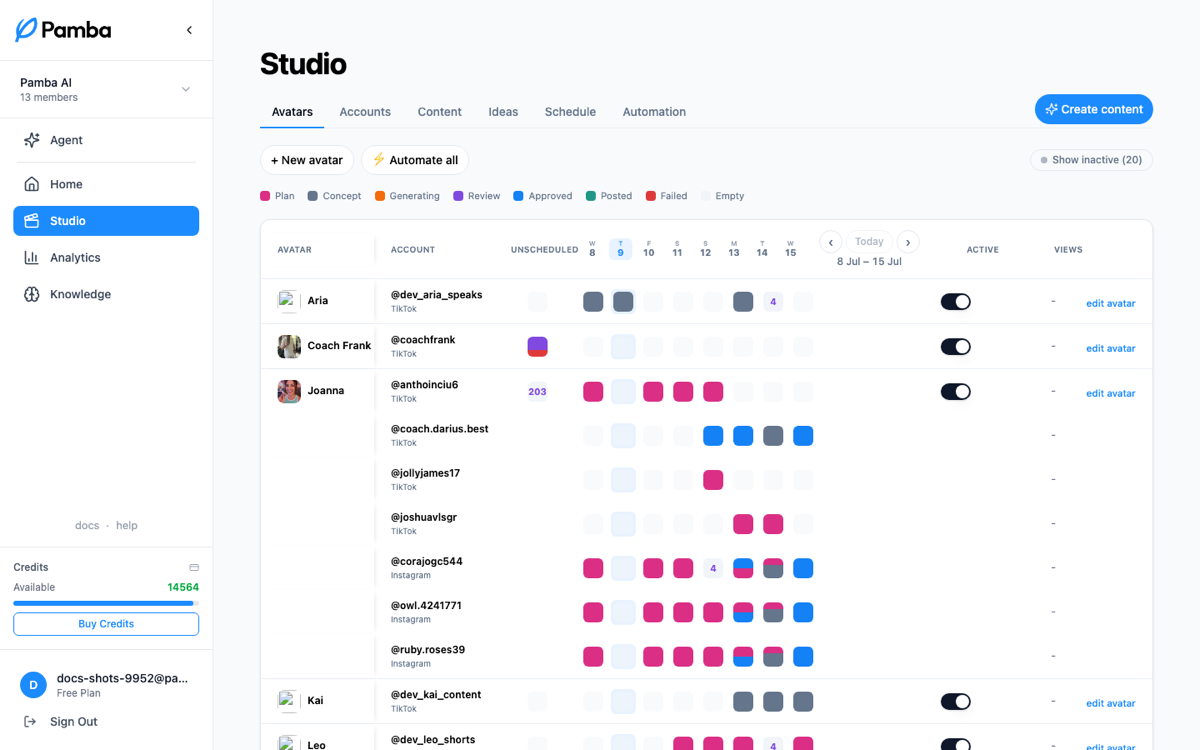
Each chip is one piece of content on its day, colored by stage (concept, generating, review, approved, scheduled, posted, failed). Days anchor to yesterday, so you see what just shipped and what's coming. Content that isn't committed to a date yet sits in the Backlog column; suggested placements show as ghost chips until you confirm them.
The Create avatar button in the top right opens the avatar wizard.
Content
Open Content from the sidebar for the production line. One nav row runs the whole pipeline, left to right: Create · Plans · Drafts · Videos, then Ideas, Automation, and Schedule, with Media on the right. Drafts and Videos carry unseen-count badges, so you can see at a glance when new work has landed for review since you last looked.
Create
Where every video and slideshow starts. Pick a format, then a mode:
- •Videos → Replicate: pick a TikTok (or paste a link) and Pamba analyzes it and makes your version.
- •Videos → Yapper: paste your own script and your avatar says it word for word. No script yet? Click Idea under the box, describe the video in a sentence, and Pamba writes a script for your brand into the box for you to edit (on paid plans).
- •Slideshows → Replicate: pick a TikTok photo post and Pamba rewrites it for your business.
- •Slideshows → Your lines: each line you write becomes one slide, exactly as written.
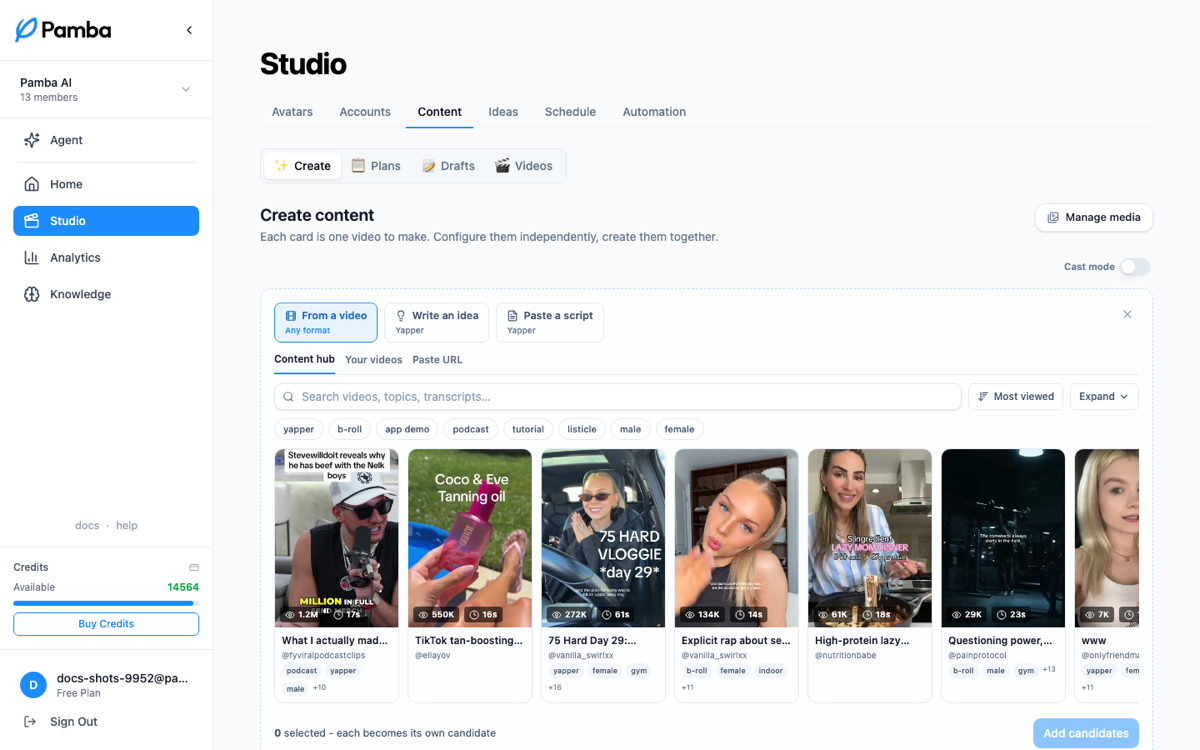
Stack several cards and submit them together; each becomes its own project and generates independently. A card that still needs something (avatars or text) doesn't hold the others up: Create starts the ready cards, and the unfinished ones stay in the batch until you complete them.
Plans
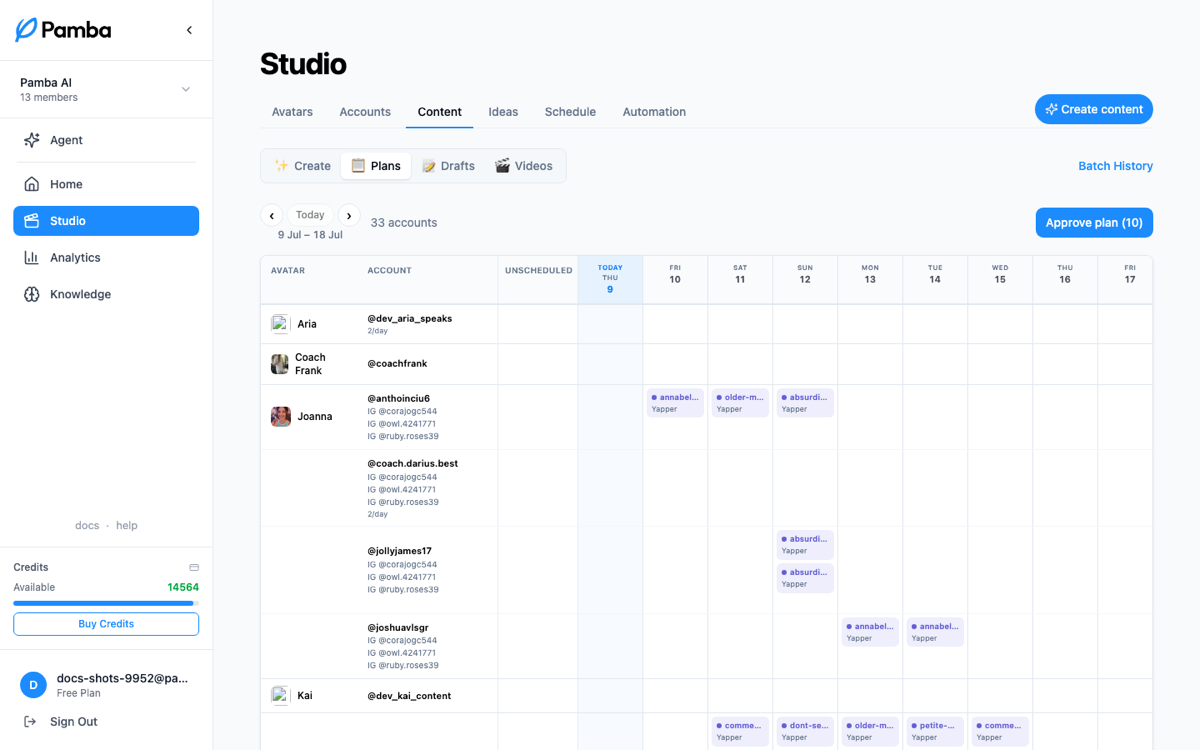
The planning grid: what's slotted where for the coming days, per avatar and account, with format chips on each slot. This is the week at a glance; when a campaign drafts a new plan, it lands here first. Batch History lives here too.
Drafts
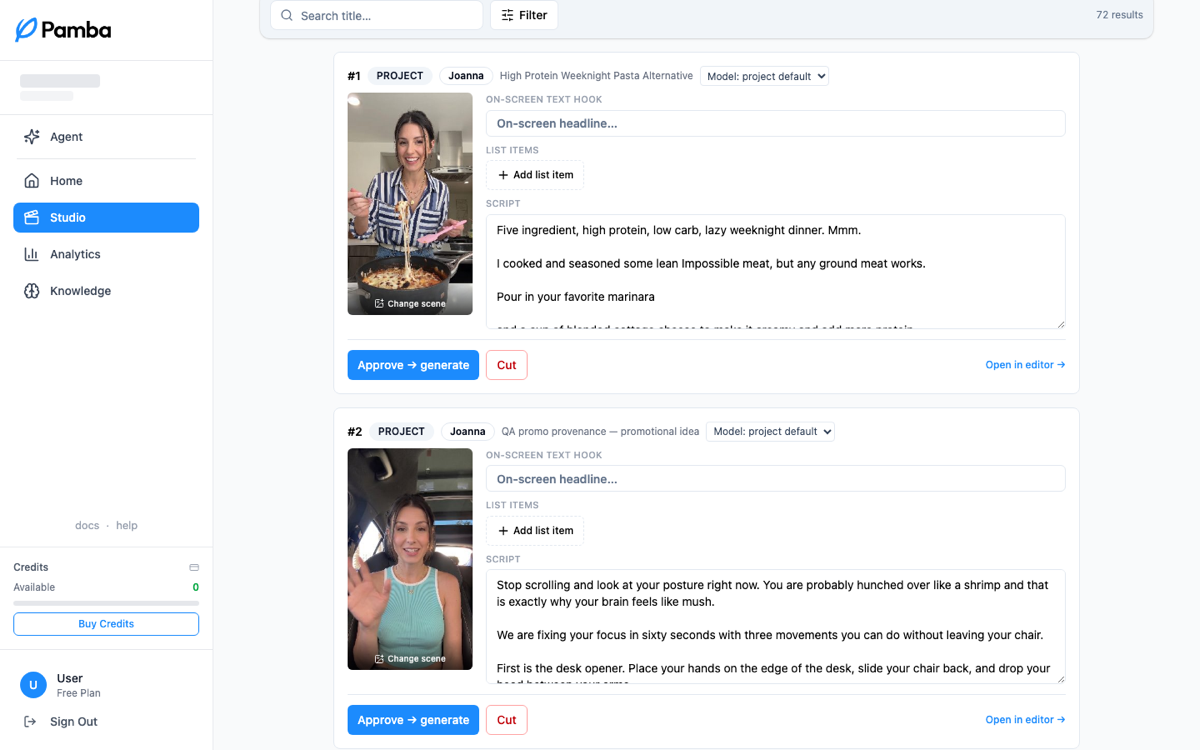
Every draft waits here for your verdict: the ones you create and the ones your campaigns write. Each card shows the draft as the video it will become, its scenes, on-screen text and script. Generate is the moment a draft becomes real. On a campaign's draft the button reads Approve & generate: it approves the script, generates the video and, when the campaign posts automatically, schedules the post on the draft's plan day. Edit draft to change it, or Delete to drop it.
Videos
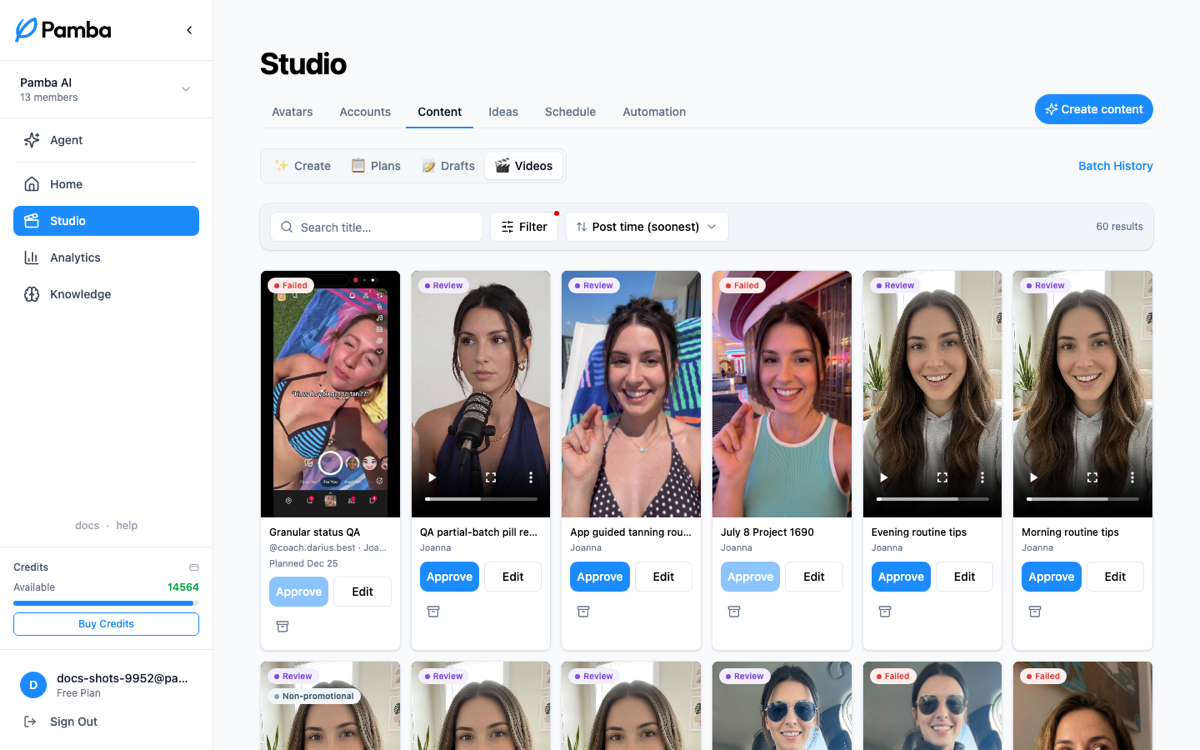
Generation triage: thumbnail cards with stage badges for every video in flight. Finished videos get watched and approved for posting here; stuck or failed generations surface so nothing silently stalls.
Ideas
The research feed. Track TikTok accounts you want to learn from, browse their analyzed videos with engagement stats, and turn any of them into scripts or projects.
Automation
Each campaign runs its accounts on autopilot: turn one on and Pamba plans the week, writes every script, and generates the videos on schedule. A fresh plan is ready for your review by 9am each cycle; you stay the approval gate, and nothing posts without you. Campaigns can be set up any time and turn on with a subscription.
Schedule
Calendar and list of every scheduled post: what goes out when, on which account, with failed and posted history one tab away.
Media
The workspace media library (product footage, b-roll, logos). The Media tab opens it as a window over Create; anything stored there is automatically incorporated into your videos and can be placed manually in the editor.
Still stuck? Message the team