
Avatars
Avatars: your AI presenters
Create custom avatars or start from community ones, and reuse them across every video.
An avatar is the AI presenter who fronts your videos: a consistent face, look, and vibe that your audience gets to know. Avatars belong to your workspace, and every video project selects one.
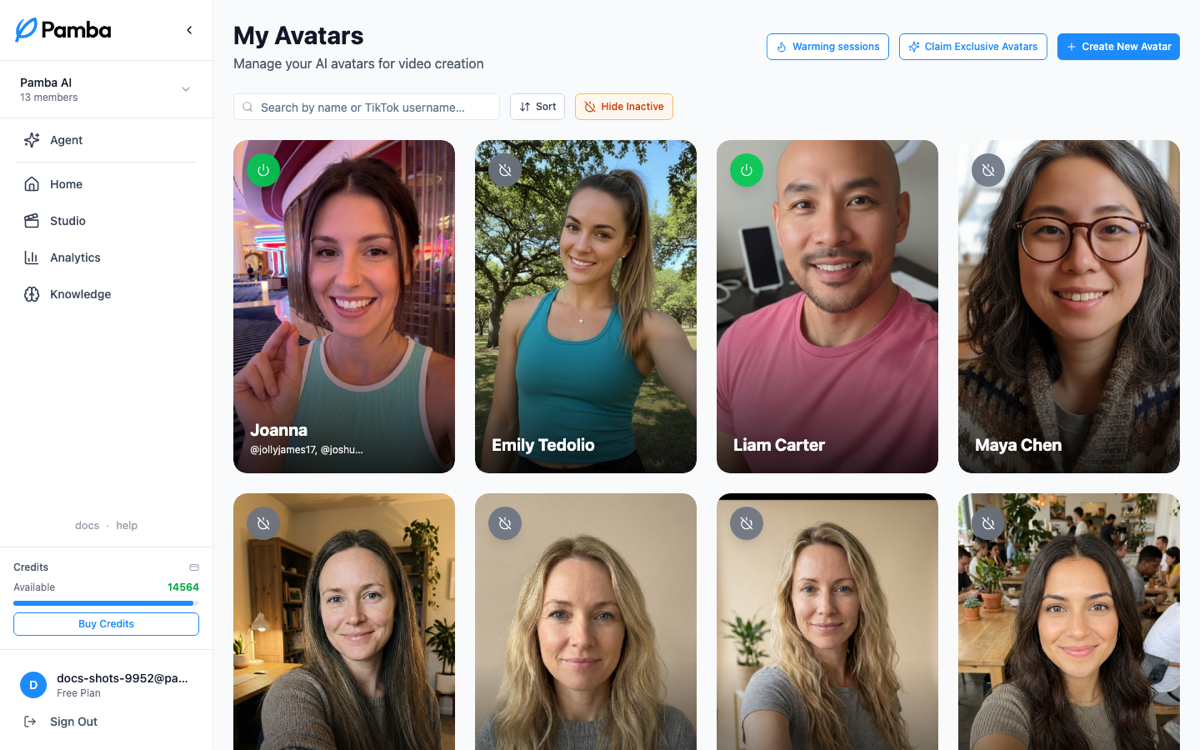
Two ways to get one
- •Community avatars: ready-made presenters you can adopt instantly. The fastest start; you can always create your own later.
- •Custom avatars: describe the person you want (appearance, age, style, energy) and Pamba generates them. Iterate on the description until the look is right.
Scenes
A scene is a setting your avatar appears in: a desk, a car, a gym, a kitchen. More scenes means more visual variety across videos and even between clips of one video. You can generate new scenes for an avatar at any time; scene generation spends image credits.
Choosing per video
Each project picks its avatar when it's created. Keeping one avatar per account builds recognition; some teams run different avatars for different content series.
Good to know
- •Avatars connected to a posting account become that account's "face", and analytics can be filtered by avatar.
- •If a generated look isn't right, regenerate rather than settling; the avatar is the most-reused asset you'll make.
- •If appearance generation fails, retry with the same description to reuse any saved profile and kept scenes. You only pay for missing images; changing the description starts a fresh appearance pass. If the error says there aren't enough credits, wait for other jobs to finish or add credits before retrying.
Was this helpful?
Still stuck? Message the team